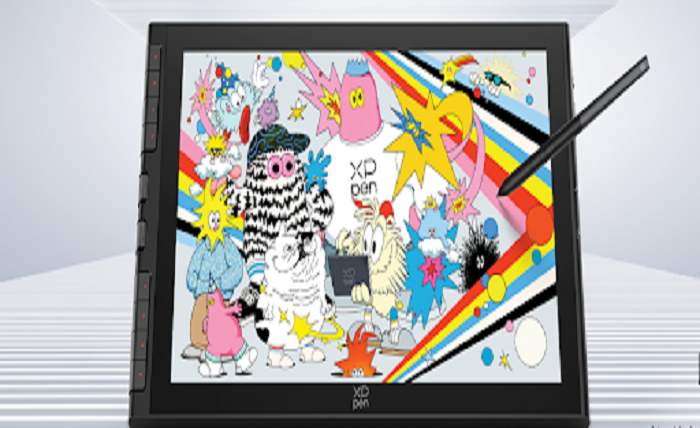
Although the experience of getting started in digital drawing can be an exhilarating one, selecting a device might prove to be quite a daunting task for novices because there are several variations in terms of size, pen accuracy, screen quality, and extra features.
A good drawing tablet for pc should have more than just the best specifications.A beginner needs to select a tablet depending on his or her purpose in drawing.
1. What is Drawing Tablet for PC? And why does a beginner need one?
How Does a PC Drawing Tablet Work?
A PC drawing tablet refers to a digital input device that allows people to create art pieces by using a stylus sensitive to pressure. In comparison to a mouse controlling a cursor, artists can create images and alter the stroke of the lines using pen strokes on the digital canvas.
The Drawing tablets for pc are more versatile than other drawing tools. The digital artist will have the freedom to do some modifications and changes, such as layers, colors, and brushes, without beginning again.
For beginners, the main advantages include:
- More natural hand control compared with a mouse;
- Improved accuracy when creating detailed artwork;
- Faster workflow through customizable shortcuts;
- Compatibility with popular creative software.
Whether you are learning illustration, graphic design, animation, or photo editing, a drawing tablet for pc can provide a smoother transition into digital creativity.
2. How to Choose a drawing tablet for pc as a Beginner?
Choosing Between a Pen Tablet and a Pen Display
The first task for newcomers is to pick the proper device.
A pen tablet doesn’t have a screen. Drawings are performed on a tablet surface while the result appears on the computer screen.Such devices are generally cheaper and more suitable for beginners because they help to get started in digital drawing.
On a pen display, there is a screen attached that allows making drawings on the place where an image shows up. It is more natural and similar to conventional drawing with a pencil and paper.
So, for a beginner, the best choice depends on individual preferences. One can opt for a cheap learning device, but the other may choose a display tablet.
Check Computer Compatibility Before Buying
A good drawing tablet for pc should work smoothly with your existing setup. Before purchasing, beginners should check several important factors:
- Support for Windows or macOS;
- Availability of stable drivers;
- Compatibility with preferred drawing software;
- Connection options such as USB or USB-C.
A device with reliable compatibility can prevent technical problems and provide a better learning experience.
Think About Budget and Future Needs
Pricing is yet another factor. Although new users do not have to buy professional gear, buying gear with fewer functions can hinder future progress.
It would be wise to choose a device that suits one’s skill level but still leaves room for development.
For example:
- An entry-level device is appropriate for basic sketching and practice;
- Mid-range models offer better comfort and creative flexibility;
- Advanced devices are designed for professional workflows.
3. What Size Drawing Tablet Should Beginners Choose?
How Does Size Influence Drawing Comfort?
The surface area affects the comfort zone of drawing, i.e., the size of an area for performing movements and impacts how comfortably you may work for a long period.
A compact drawing tablet for pc is convenient to carry around.It is ideal for students and beginners who have little space on their desks or those who work on basic sketches only.
Medium-sized tablets, which are mostly 10-13 inches in size, could be seen as the best choice between portability and enough drawing surface for illustration purposes.
Larger tablets allow more space for working on detailed illustrations and are appropriate for professionals.
It would be important for a beginner to choose a convenient size, not the largest one available.
4.Which Features Should Beginners Choose in a Drawing Tablet for PC?
Is Pressure Sensitivity Important for Digital Drawing?
Pressure sensitivity is one of the most talked-about features when buying a drawing tablet for pc . It helps the device identify how much pressure is exerted by the user and make necessary changes in the line thickness and transparency.
Common pressure levels include:
- 2048 levels for basic creative tasks;
- 4096 levels for general digital drawing;
- 8192 levels or higher for more detailed control.
While higher pressure sensitivity can improve precision, it should be considered together with other factors such as stylus response, surface texture, and software optimization.
In recent years, some advanced drawing displays have improved the overall pen experience by combining higher pressure sensitivity with faster chip technology and better screen surfaces. For example, the XPPen Artist 12 3rd uses the X4 Smart Chip Stylus with 16K pressure levels and a 2g initial activation force, helping users capture subtle strokes more accurately. Its 11.9-inch display and AG Nano-etched Glass surface are designed to provide a smoother and more natural drawing experience.
Why Does Stylus Response Matter?
A responsive stylus is essential for creating smooth lines. If there is a noticeable delay between pen movement and screen response, beginners may find it difficult to control their artwork.
Important factors include:
- Low initial activation force;
- Stable tracking performance;
- Battery-free pen technology.
These features help create a more natural connection between hand movement and digital output.
How Do Shortcut Functions Improve Workflow?
Shortcut keys can make digital drawing more efficient by reducing repetitive actions.
Useful shortcut functions include:
- Undoing mistakes quickly;
- Adjusting brush size;
- Switching tools;
- Zooming in and out.
For beginners, configurable shortcuts can help them learn the program faster.
5. How Can Beginners Adapt to a drawing tablet for pc Faster?
Practice Basic Drawing Movements
Many beginners need time to adjust because drawing on a drawing tablet for pc feels different from drawing on paper.
Simple exercises can help build confidence:
- Practicing straight and curved lines;
- Creating basic shapes;
- Testing different pressure levels;
- Repeating simple sketches.
Regular practice helps improve hand-eye coordination and drawing accuracy.
Customize Settings Based on Personal Habits
Every artist has different drawing styles. Adjusting pen sensitivity settings can make the device feel more comfortable.
Users who prefer lighter strokes can increase sensitivity, while those who naturally apply more pressure may prefer a firmer setting.
Learn the Basics of Digital Art Software
A drawing device works best when combined with proper software knowledge.
Beginners should learn essential functions such as:
- Layer management;
- Brush adjustment;
- Color control;
- Shortcut customization.
These skills allow users to take full advantage of their drawing tablet for pc.
Conclusion
Choosing a proper drawing tablet for pc is about making the right balance between efficiency, convenience, compatibility, and affordability. You do not need to buy the best drawing tablet in the first place; you need something that will help you at the current and future stages.The correct tool and practice would make digital drawing easier and more entertaining.
Should you have any concerns about the choice of your drawing tablet for pc, feel free to ask XPPen any questions. We will be happy to help you choose the right tool.